Pin the extension
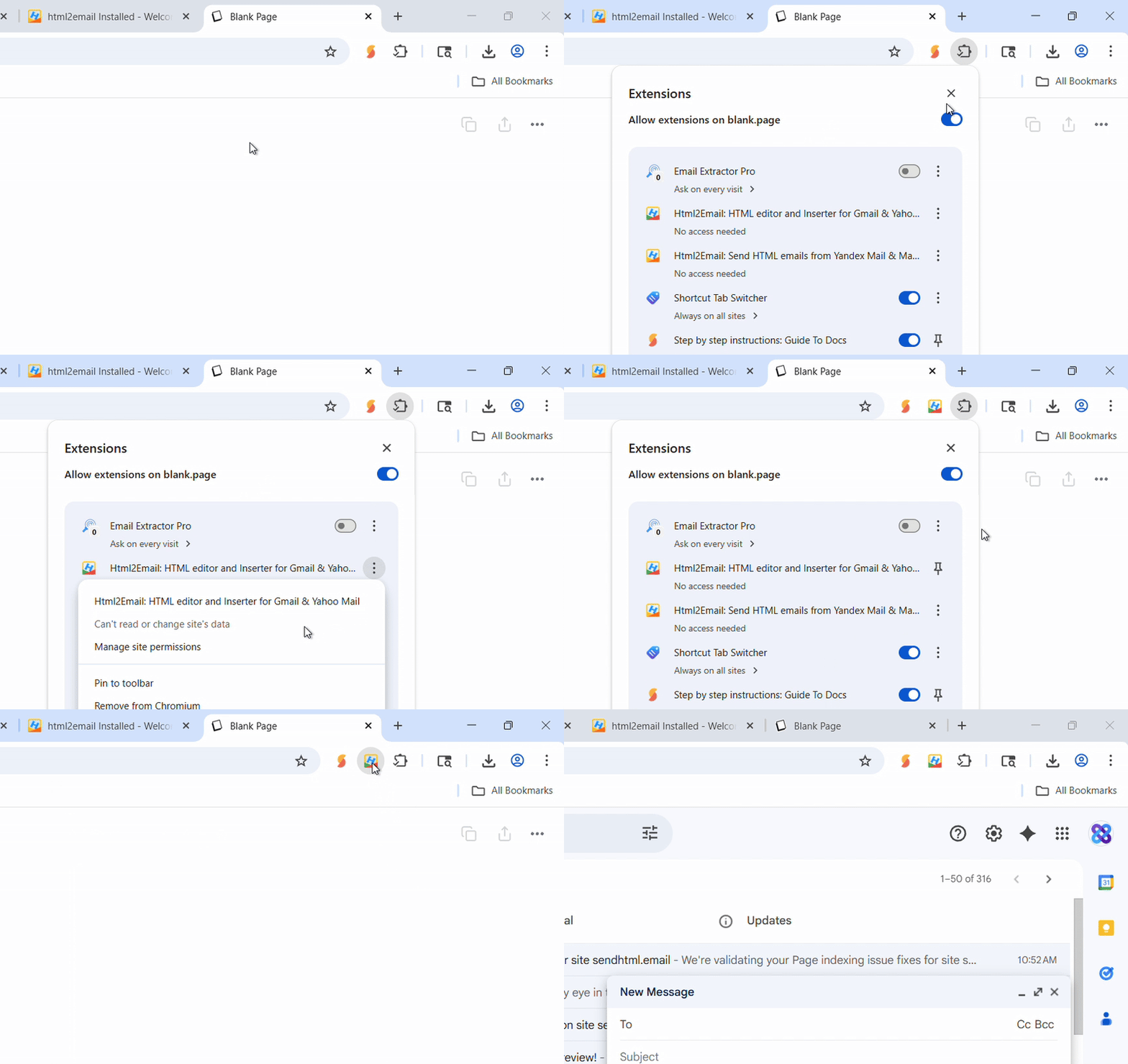
Click the puzzle icon in Chrome, then pin html2email. One click from compose, settings, or a received email.
Getting started
html2email lives inside Gmail, Yahoo, Mail.ru, and Yandex Mail. First step after install — pin the extension so it's one click away.
Click the puzzle icon in Chrome, then pin html2email. One click from compose, settings, or a received email.
Features
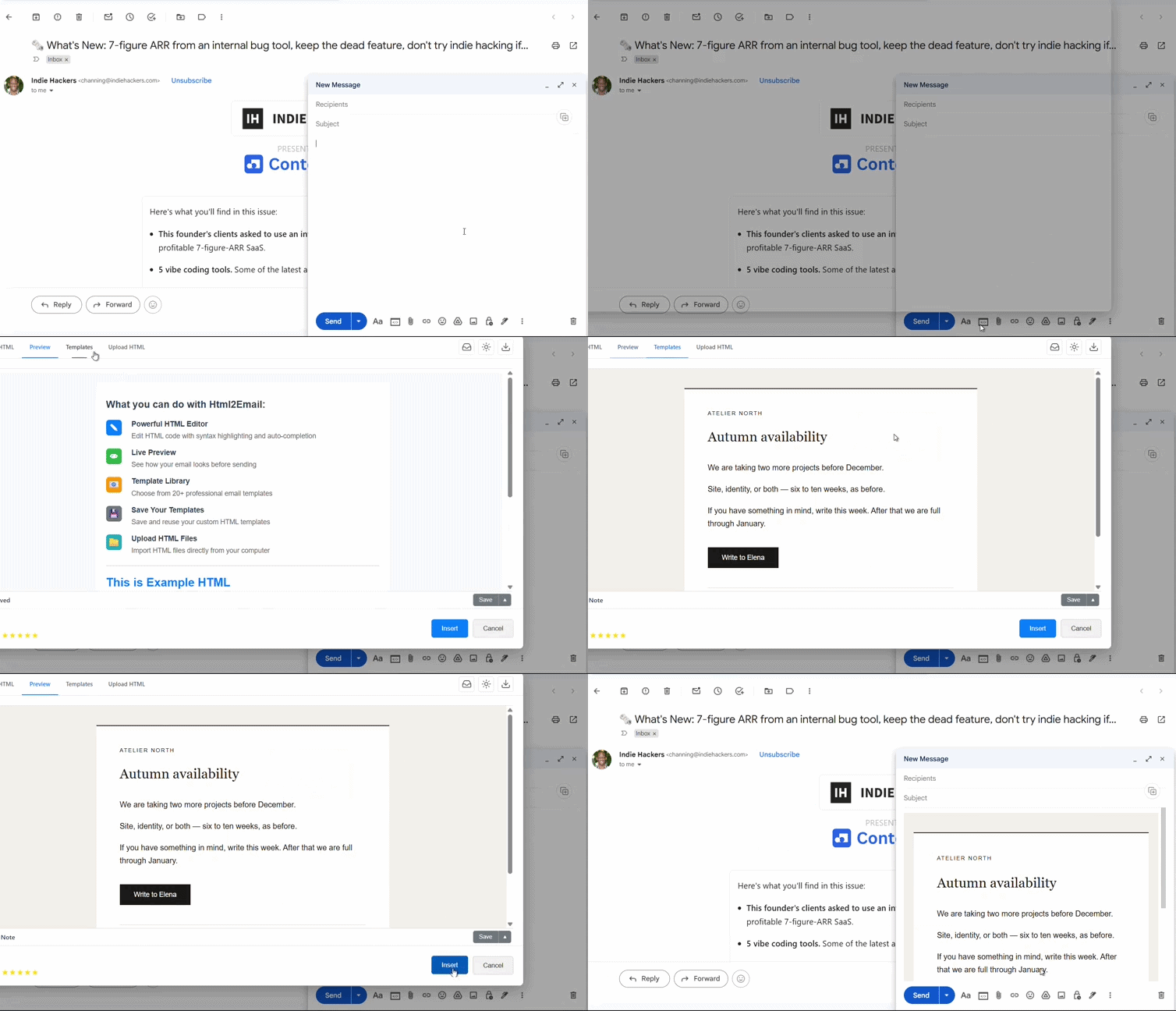
Hit Insert — HTML lands in compose formatted, not as raw code. Works in Signature and Vacation responder too.
Save to My Templates before insert to reuse for the next client. If the letter has {{clientName}} (or other fields), fill them from Preview first.
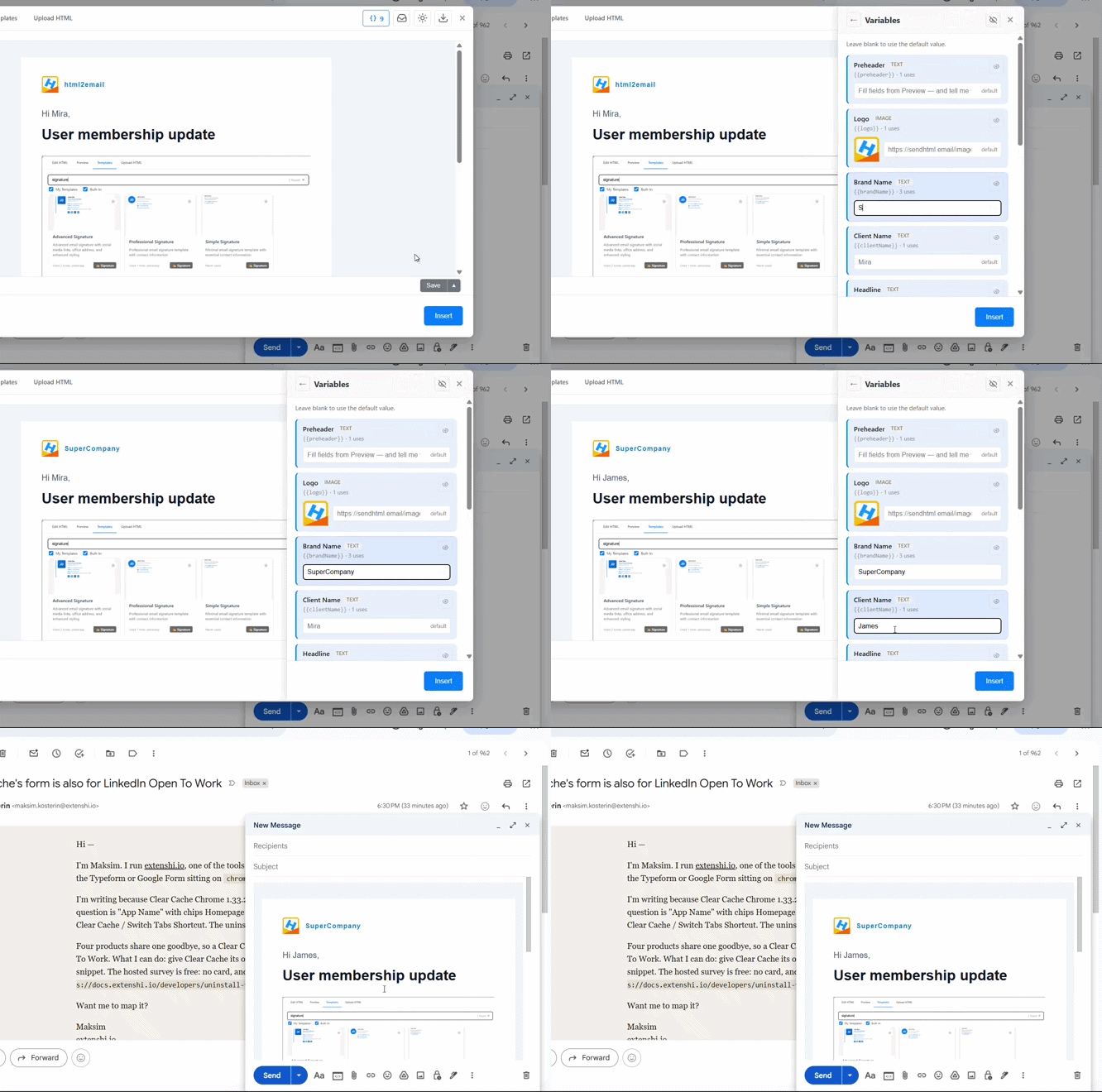
Reuse one HTML template across many clients. Fill names, links, images, and HTML blocks from Preview. Tokens never leave the editor — Insert bakes real values into the letter. Learn how template variables work.

Open an HTML email — a capture icon appears on the message. One click pulls the body into the editor. Copy the HTML or save it as your own template.
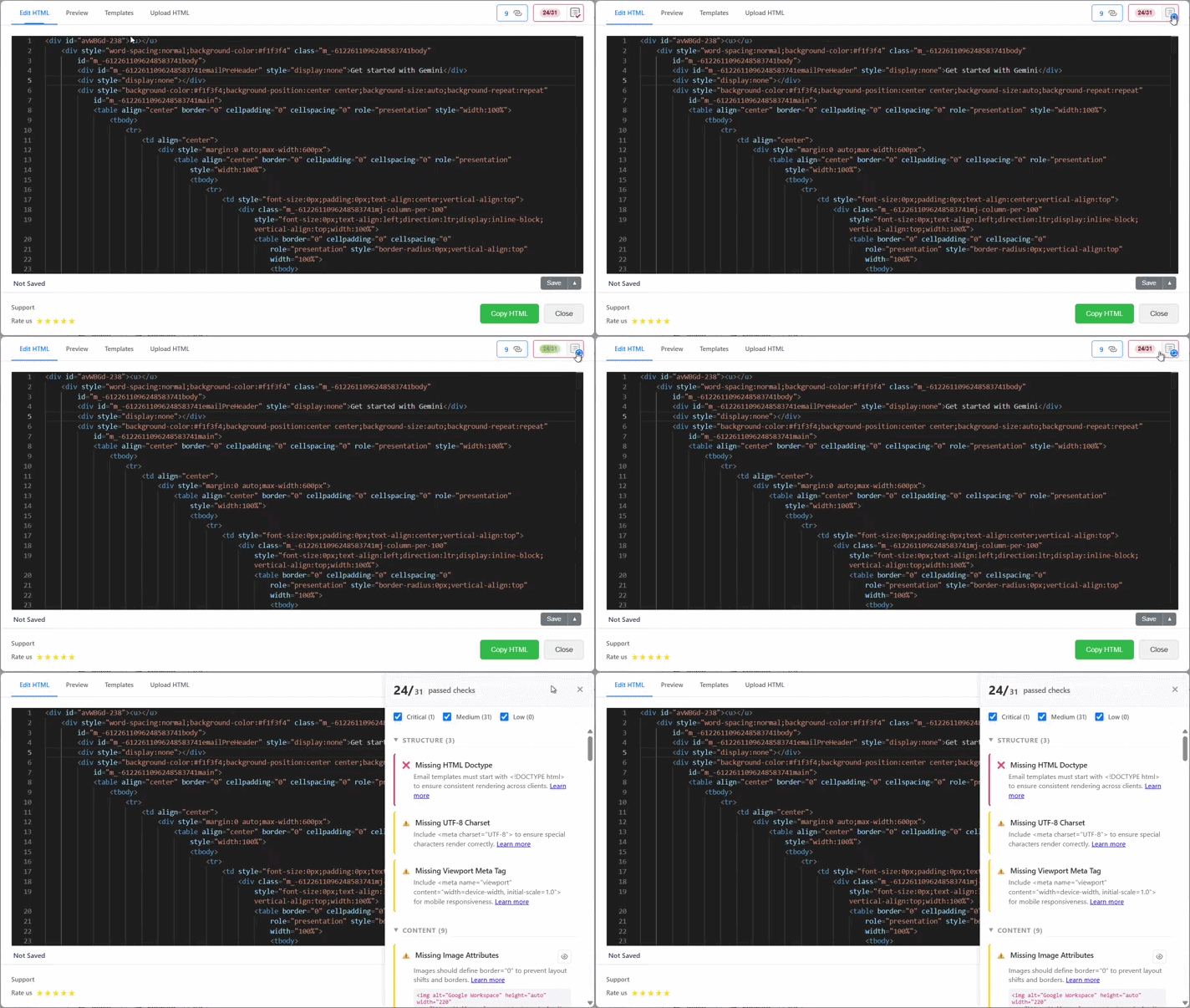
Email quality rules such as doctype, preheader, table layout, alt text, doc size and more are checked. Click an issue to jump to the line. This check is available in the Editor tab.
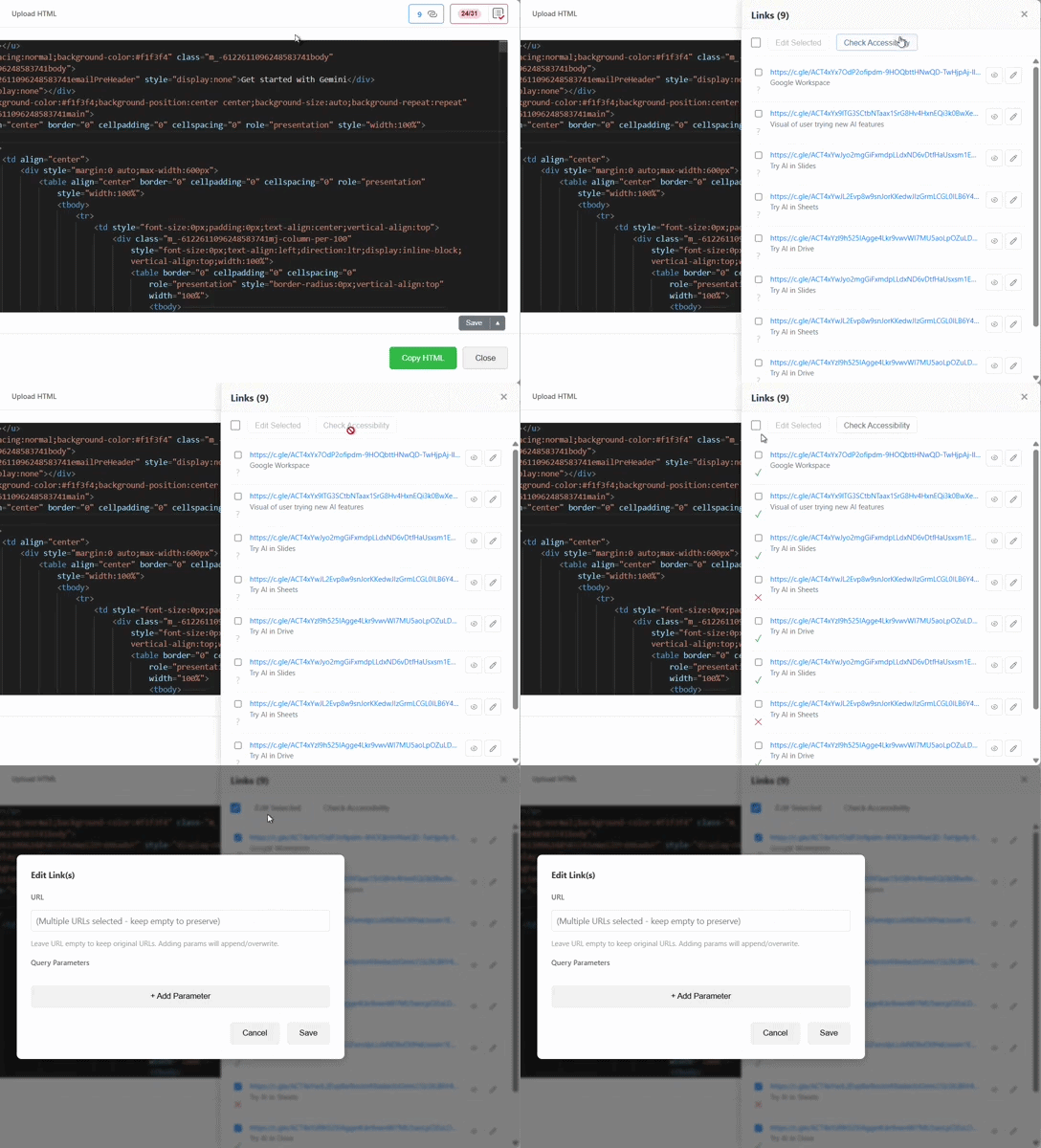
Lists every link. Live HTTP check for 404s. Edit inline — fix writes back to HTML. Valid href in email →

Inbox mockup — see how subject line and preheader compete for space before your client screenshots a broken snippet. Fill variables first, then check the snippet. (why preheader is important?)
Light / dark — Gmail-style forced invert. Catch logos that vanish before send.
Download PNG — full-page preview to share with clients (dark mode included).
Open Gmail Compose, click the html2email icon in the toolbar, and send your first HTML email in under two minutes.
Open Gmail ComposeNew tab · Gmail compose window
html2email works with different email providers. Install the version for your preferred platform:
Perfect for Google Workspace users and Yahoo Mail subscribers
 Install for Gmail/Yahoo
Designed for Russian email services and international users
Install for Mail.ru/Yandex